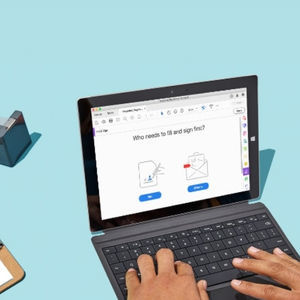
文档管理软件 Fill & Sign
品牌:ADOBE · 产地:美国-加利福尼亚州
| 功能 | 文档管理 |
产品介绍
没有更多的印刷。不再需要手写签名。不用再寄回表格。通过填写和签署工具,你可以轻松地填写PDF表格,签署它们,并直接从你的桌面、浏览器或移动应用程序发送电子表格。
更快地添加信息。
当您使用Acrobat表格填写工具填写表格字段时,可以节省时间。您可以将数据安全地保存在个人自动填写集合中,并让我们的人工智能Adobe Sensei检测出正确的字段,并在下次自动填写。
在任何时间签署任何表格。
纸质表格、可填写的表格、许可单,甚至是用手机拍摄的表格的照片。Adobe填写和签署应用程序使您可以轻松地将您的电子签名或姓名缩写添加到所有这些表格中。
从任何地方签署。
无论你在哪里,无论你在哪里,都可以用你的键盘或手指来电子签名你的表格。你甚至可以在浏览器中签名,如谷歌浏览器。不需要打印,永远不需要。
发送和跟踪你的表格。
实现无纸化。以电子方式发送您的表格,然后通过Acrobat文档管理跟踪其打开时间。由于您的PDF被锁定,收件人可以放心地知道它在您签字后没有被修改过。
---
此为机器翻译文本。
No more printing. No more signing by hand. No more mailing back forms. With the Fill & Sign tool, you can easily fill out PDF forms, sign them, and send your forms electronically right from your desktop, browser, or mobile app.
Add information faster.
Save time when you fill form fields with the Acrobat form filler tools. You can save data securely in a personal autofill collection and let Adobe Sensei, our AI, detect the right field and automatically fill it out next time.
Sign any form, any time.
Paper forms, fillable forms, permission slips, or even a photo of a form taken from your phone. The Adobe Fill & Sign App makes it easy to add your e-signature or initials to them all.
Sign it from anywhere.
No matter where you are, use your keyboard or your finger to electronically sign your forms wherever you are. You can even sign in a browser, like Google Chrome. No printing required, ever.
Send and track your forms.
Go paperless. Send your form electronically, then track when it's opened with Acrobat document management. Since your PDF is locked, recipients can rest easy knowing it hasn't been altered since you signed.
联系我们
对 ADOBE 的 文档管理软件 Fill & Sign 感兴趣?
微信扫码联系我们,获取报价与详细资料。
